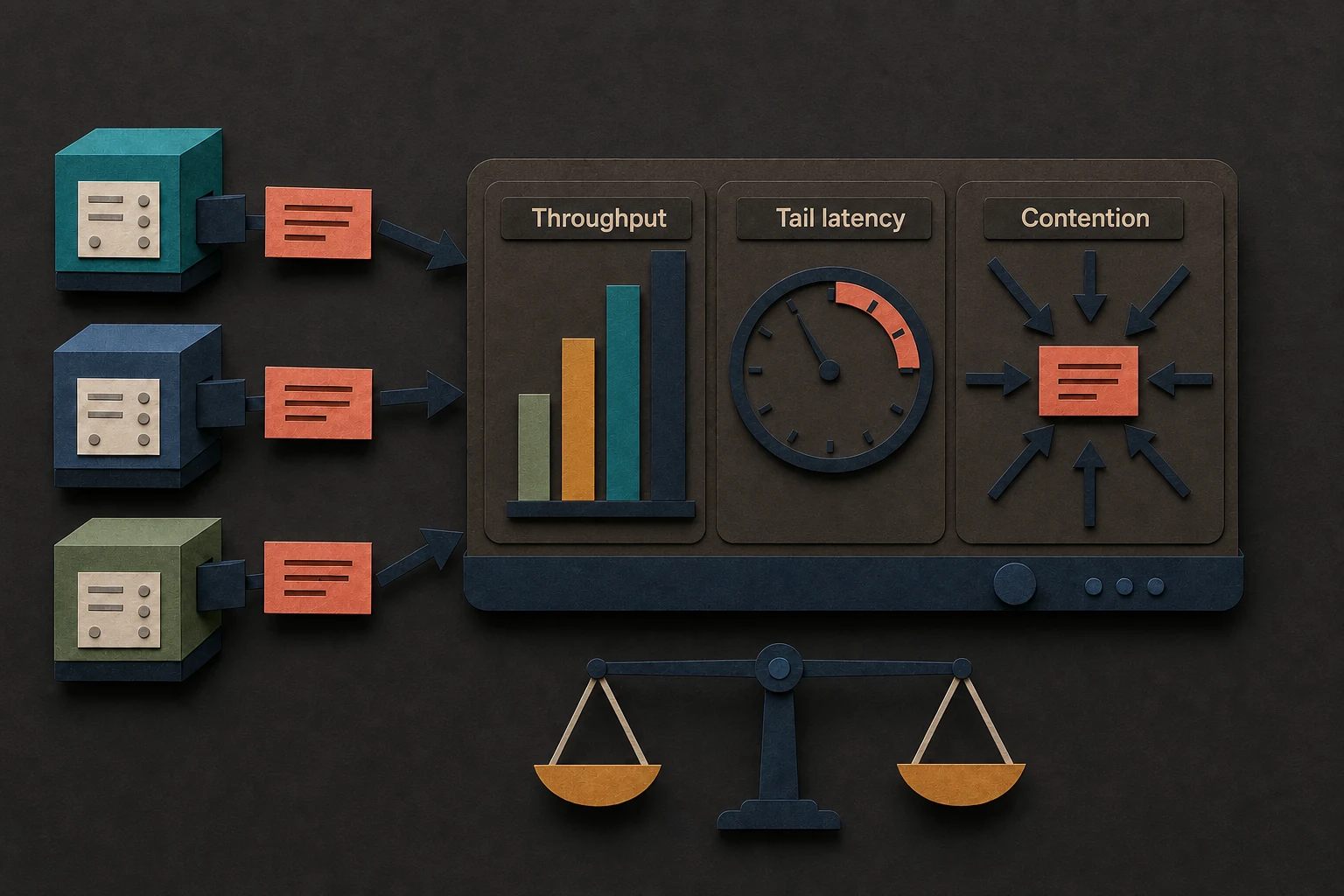

Benchmarks

Benchmarking & Load Testing

Run Criterion microbenchmarks and the trypema-stress load harness reproducibly.

This repo includes two complementary performance suites:

  • Criterion microbenchmarks (benches/) to measure per-operation cost.
  • A stress/load harness (stress/, package trypema-stress) to measure throughput and latency percentiles under concurrency, key distributions, and (optionally) bursty traffic.

Benchmarks are noisy in real-world environments (especially on laptops and shared machines). Treat results as directional unless you capture and report full environment + workload parameters.

What the numbers mean (and don’t)

If you’re new to the harness output, start here:

Microbenchmarks (Criterion) help answer:

  • How expensive is a single inc(...) / is_allowed(...) call in a specific code path?
  • How do different configurations (e.g., group_ms, key cardinality) affect per-op cost?

Stress/load tests help answer:

  • What throughput (ops_per_s) can a given provider/strategy sustain under concurrency?
  • What are the tail latencies (p99, p99.9) under a fixed offered load (including bursts)?
  • How does Redis contention show up under hot keys and high concurrency?

They do not mean:

  • Universal performance claims. Results vary by CPU, OS, power mode/thermal limits, background load, and Redis topology.
  • “Tail latency is solved” if you only run closed-loop max-throughput (--mode max). For tail latency, use --mode target-qps (open-loop) to avoid coordinated omission.

Prerequisites

RequirementWhyHow to check
Rust toolchainBuild + run benches/harnessrustc -Vv
Docker (daemon running)Redis via Docker Composedocker info
Docker Compose v2compose.yaml lifecycledocker compose version

Redis via Docker Compose

Redis runs via compose.yaml:

  • Service: redis
  • Image: redis:6.2-alpine
  • Port mapping: ${REDIS_PORT:-16379}:6379

The Makefile defines:

  • REDIS_PORT ?= 16379
  • REDIS_URL ?= redis://127.0.0.1:$(REDIS_PORT)/

Use REDIS_URL to point benches/harness at the correct Redis instance.

Quick start (Make targets)

Clone the repo and run from the repo root:

git clone https://github.com/dev-davexoyinbo/trypema
cd trypema

Recorded numbers live here:

# Local microbenchmarks (no Redis)
make bench-local

# Redis microbenchmarks (starts/stops Redis via compose)
make bench-redis

# Local stress suite (3 runs)
make stress-local

# Redis stress suite (2 runs; starts/stops Redis via compose)
make stress-redis

# Show stress CLI help
make stress-help

Redis lifecycle:

make redis-up
make redis-down

Microbenchmarks (Criterion)

What’s measured

Criterion benches live under benches/ and produce HTML under target/criterion/.

Bench binaries:

  • benches/local_absolute.rs
  • benches/local_suppressed.rs
  • benches/redis_absolute.rs (requires --features redis-tokio)
  • benches/redis_suppressed.rs (requires --features redis-tokio)

The local benches are intentionally disabled when Redis features are enabled, so keep local microbench runs “pure local” (no --features redis-tokio).

How to run

Local benches:

make bench-local

Redis benches (starts Redis via Docker Compose and exports REDIS_URL):

make bench-redis

Run one bench directly (advanced):

cargo bench -p trypema --bench local_absolute

Reports

Criterion HTML reports are written to:

  • target/criterion/

Open target/criterion/report/index.html in a browser.

If your Criterion version outputs reports/ instead of report/, try:

  • target/criterion/reports/index.html

Stress / Load harness

The stress harness is a separate workspace crate:

  • Path: stress/
  • Package: trypema-stress (publish = false)

Key flags (CLI)

Authoritative help for your checkout:

make stress-help

Key options supported by trypema-stress:

FlagValuesPurpose
--providerlocal, redis, hybridBackend under test
--strategyabsolute, suppressedStrategy under test
--key-disthot, uniform, skewedKey distribution
--modemax, target-qpsClosed-loop max vs open-loop offered load
--threadsintegerConcurrency
--duration-ssecondsRun duration
--window-ssecondsWindow size
--group-msmsRate grouping bucket size
--key-spaceintegerDistinct keys (ignored by hot, which forces 1 key)
--hot-fraction0..1For skewed: fraction of traffic to the “hot” key
--rate-limit-per-sfloatPer-key rate limit used by the harness
--target-qpsintegerBase QPS in target-qps mode
--burst-qpsintegerBurst QPS (optional)
--burst-period-msmsBurst repeat period
--burst-duration-msmsBurst active window
--sample-everyintegerRecord 1 latency sample every N ops
--redis-urlstringRedis URL
--redis-prefixstringRedis key prefix namespace

key_dist controls how the stress test chooses rate-limiter keys (users) on each operation:

  • hot: always uses a single key (user_0). key_space is ignored (effectively 1 key).
  • uniform: picks a key uniformly at random from key_space keys (user_0..user_{key_space-1}).
  • skewed: with probability hot_fraction uses user_0, otherwise picks uniformly from the remaining keys (user_1..). (key_space controls how many exist.)

Output fields to expect

At the end of a run, the harness prints:

  • ops_per_s (throughput)
  • decision counts (allowed, rejected, suppressed_allowed, suppressed_denied, errors)
  • sampled latency percentiles (microseconds): p50, p95, p99, p999 (p999 = p99.9)

Scenarios (primary)

These three scenarios align with the project goals. Commands are copy/pasteable and match the repo’s Makefile targets and CLI flags.

#ScenarioWhat it answersPrimary metric
1Max single-host throughput (local provider)How fast can one host go with local state?ops_per_s
2Tail latency under burst + high-cardinality keysHow bad is p99/p99.9 when traffic bursts?lat_us p99/p999
3Redis distributed contention under concurrencyHow does Redis behave under hot keys and skew?ops_per_s + p99/p999 + errors

1) Max single-host throughput (local provider)

Goal:

  • Establish a baseline for maximum local throughput.

Recommended run (hot key):

make stress-local-hot

Optional follow-up (high cardinality uniform keys):

make stress-local-uniform

What to look at:

  • ops_per_s scaling with --threads
  • whether you’re measuring mostly allow-path vs reject-path (decision counts)

2) Tail latency (p99) under burst + high-cardinality keys

Goal:

  • Measure tail latency under open-loop offered load with periodic bursts and many keys.

Recommended run (matches Makefile):

make stress-local-burst

What to look at:

  • lat_us p99 and p999 during bursty traffic (open-loop)
  • impact of suppressed behavior (decision mix + tail latency)

3) Redis distributed contention under concurrency

Goal:

  • Measure throughput and tail latency when decisions contend on Redis.

Recommended runs (match Makefile; includes Redis lifecycle and --features redis-tokio).

Note: the repo’s current defaults run Redis stress tests with --threads 16 (same as local) so local vs Redis comparisons are less confounded by different client concurrency.

make stress-redis-hot
make stress-redis-skew

What to look at:

  • errors (Redis overload/connectivity)
  • p99/p999 under hot key contention vs skewed high-cardinality

Results

This page does not publish benchmark numbers. Fill in the templates below and include the full environment + workload parameters.

Environment (example run)

These values reflect a non-controlled laptop environment (other services running), with Redis in Docker as defined by compose.yaml.

FieldValue
Repohttps://github.com/dev-davexoyinbo/trypema
Commit5fe93e7a3158c16e5143204798864797a2c4f689
OSmacOS Tahoe 26.3
CPUApple M2 Pro
Memory16GB
Rustrustc 1.93.0 (254b59607 2026-01-19)
Docker29.2.0 (Docker Desktop 4.60.1)
Docker Composev5.0.2
Redisredis:6.2-alpine (via compose.yaml)
Redis URLredis://127.0.0.1:16379/ (default)
NotesNon-controlled environment; results are directional

Microbenchmarks (Criterion) results template

Paste the key benchmark names you care about (from the Criterion report) and record deltas across commits.

CommitBenchParametersResultNotes
TBDlocal_absolute/hot_key_allowedinc/group_ms=10TBD
TBDlocal_absolute/many_keys_allowedinc/keys=100000/group_ms=10TBD
TBDlocal_suppressed/get_suppression_factorcache_hitTBD
TBDredis_absoluteinc/hot_keyTBDREDIS_URL=...
TBDredis_suppressedget_suppression_factor/hot_keyTBDREDIS_URL=...

Where to find the report:

  • target/criterion/

Stress/load results template

Record ops_per_s and lat_us percentiles (microseconds). p999 corresponds to p99.9.

CommitScenarioProviderStrategyModeThreadsKey distKey spaceOffered loadops/sp50 (us)p95 (us)p99 (us)p99.9 (us)errorsNotes
TBD1localabsolutemax16hot1maxTBDTBDTBDTBDTBDTBD
TBD2localsuppressedtarget-qps16skewed10000020k -> 200k burstTBDTBDTBDTBDTBDTBD
TBD3redisabsolutemax256hot1maxTBDTBDTBDTBDTBDTBDREDIS_URL=...

How to report results in PRs/issues

Copy/paste and fill in:

Benchmark/Load Report

Commit:
- sha: <git rev-parse HEAD>
- compare: <what changed / why>

Environment:
- OS:
- CPU:
- Memory:
- Rust: (rustc -Vv)
- Docker: (docker version)
- Compose: (docker compose version)
- Redis: redis:6.2-alpine (compose.yaml)
- REDIS_URL:
- Notes: (power mode, thermals, other load, etc.)

Commands:
- make bench-local
- make bench-redis
- make stress-local-hot
- make stress-local-burst
- make stress-redis-hot
- make stress-redis-skew

Results (paste final summary blocks from trypema-stress):
- Scenario 1 (local/max): ops_per_s=<TBD> p99_us=<TBD>
- Scenario 2 (burst/p99): ops_per_s=<TBD> p99_us=<TBD> p999_us=<TBD>
- Scenario 3 (redis contention): ops_per_s=<TBD> p99_us=<TBD> errors=<TBD>

Common pitfalls / FAQ

  • Release vs debug: use --release for stress/load comparisons (make stress-* already does). Criterion uses optimized builds via cargo bench.
  • Coordinated omission: --mode max is closed-loop; for tail latency, prefer --mode target-qps.
  • Redis readiness: use make redis-up (it waits for redis-cli ping) rather than starting tests immediately after docker compose up.
  • Avoid mixing “local” and Redis features: local Criterion benches are disabled when redis-tokio is enabled; keep local microbench runs feature-free.
  • CPU scaling/thermals: keep power mode consistent; repeat runs; note thermal throttling risks on laptops.
  • Noisy neighbors: background processes can distort tail latency; record what else is running.
  • Sampling overhead: --sample-every trades latency precision for overhead; adjust when chasing percentiles.

Assumptions / To confirm

  • None (this page is based on the repo’s Makefile, compose.yaml, benches/*.rs, and stress/src/main.rs).