

How Suppression Works
This page is the operational view of suppressed mode: what the numbers mean and which knobs matter.
Core idea
Suppressed mode does not wait for a hard boundary and then reject everything. Instead, it computes a suppression factor from current pressure and uses that to decide whether each request is admitted.
The higher the pressure, the higher the chance that a request is denied.
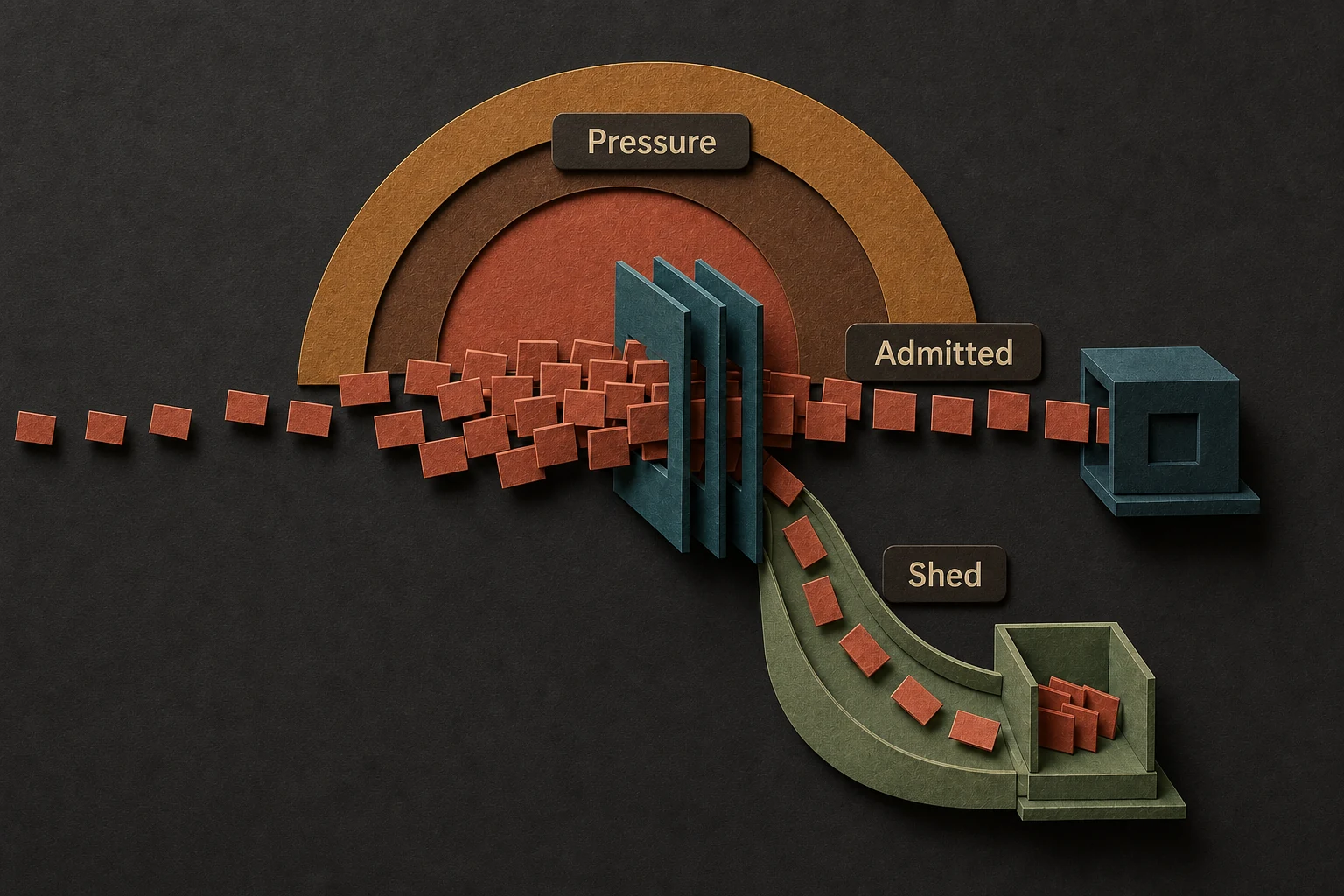
The two knobs that matter most
HardLimitFactor
This validated multiplier sets hard capacity:
hard capacity = rate per second × window seconds × hard-limit factor
Base capacity is soft target. Factor must be at least 1.0; default 1.0 makes soft and hard
capacities equal.
- lower values make shedding become severe sooner
- higher values allow more burst headroom before the strategy clamps down fully
SuppressionFactorCachePeriod
This validated duration controls how long computed factor may be reused. Default is 100ms.
- lower values track pressure changes more closely
- higher values reduce recomputation overhead
How to reason about it
Use suppressed mode when the question is not only "are we over the line?" but also "how aggressively should we shed right now?"
That makes it useful for systems where:
- some degraded throughput is better than a full stop
- load can spike suddenly
- downstream systems benefit from a smoother decline in admitted traffic
A practical mental model
0.0means healthy- mid-range values mean the key is hot and admission is becoming selective
- values near
1.0mean the key is heavily overloaded and most traffic should be shed
If your application cannot tolerate probabilistic outcomes, suppressed mode is the wrong tool. Use absolute limiting instead. See Configuration Types for constructors, units, and defaults.